
Reductions
The reductions that make a converted model smaller and easier to read, each with the model before and after it.
5 Reductions
The initial conversion performed by Modelify is a very verbose conversion. A Simulink block is created for each operation in C code. This can cause there to be a large model for a relatively small amount of code. To improve upon this verbose conversion, you can apply Reductions that can reduce the number of blocks necessary to represent the logic in the C code or to change the model to make it more readable.
Reductions can simplify or improve the model in several different ways. A reduction will achieve at least one of the following objectives:
- reduce a number of blocks by replacing them with simpler or higher level Simulink block(s) that achieve the same result
- replace a set of blocks to conform to specific modeling guidelines
- remove sections of the model that do not affect the simulation result. Those model sections can occur when original C code has dead code.
You can enable or disable each reduction individually. This allows you to activate only the reductions you need to match the modeling guidelines used at your company.
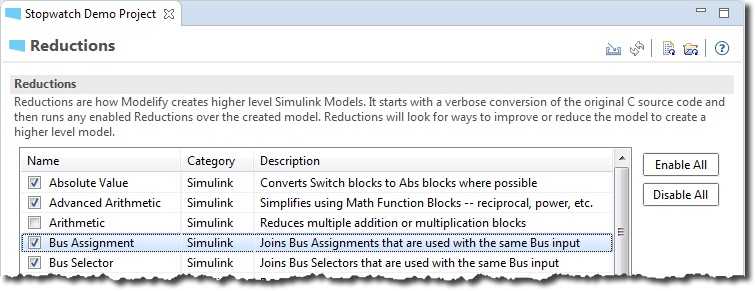
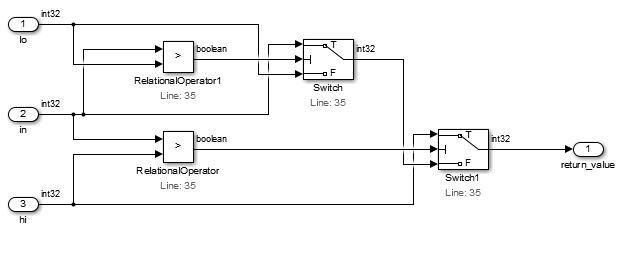
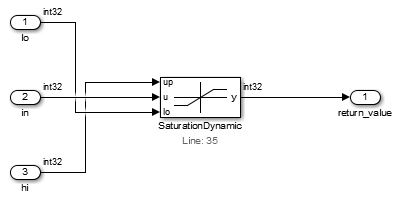
A description of each reduction is included below. Each reduction explanation includes two model screenshots that represent the model before and after the reduction.
Absolute Value
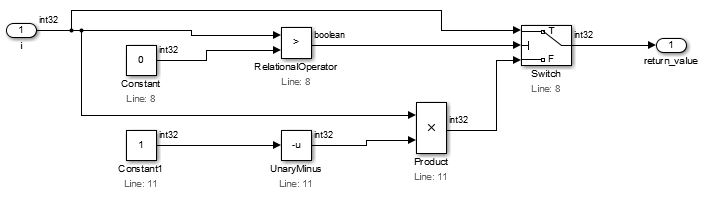
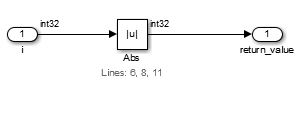
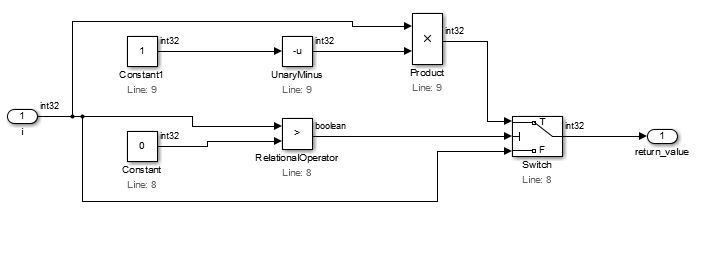
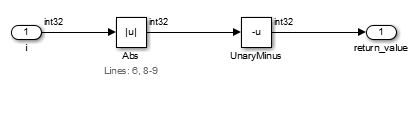
This reduction simplifies the model by replacing a set of blocks, whose logic represents the absolute of a value, by an Absolute value block.
There are two cases considered: one that returns an absolute value (case 1) and another that returns the negative of an absolute value (case 2).
Case 1:
Case 2:
Advanced Arithmetic
This reduction simplifies the model by:
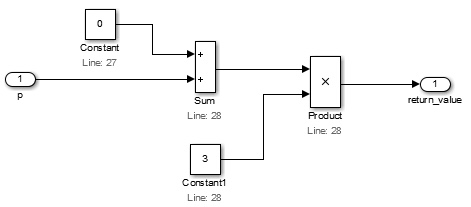
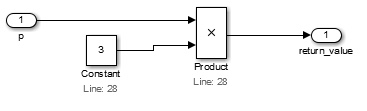
- removing Constants with value 0 from Sum blocks
- removing Constants with value 1 from Product blocks
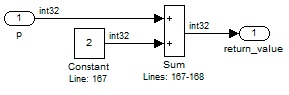
- removing identical inputs to an arithmetic block
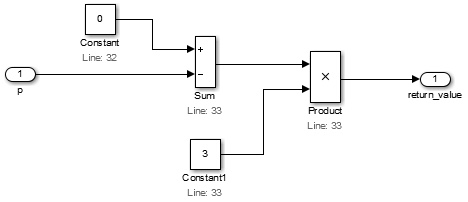
Remove Constants with value 0 from Sum blocks
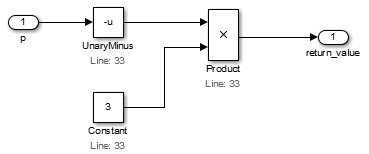
There are two cases considered: one that just removes Constant and Sum blocks (case 1) and another which additionally requires the addition of a Unary Minus block (case 2).
Case 1:
Case 2:
Remove Constants with value 1 from Product blocks
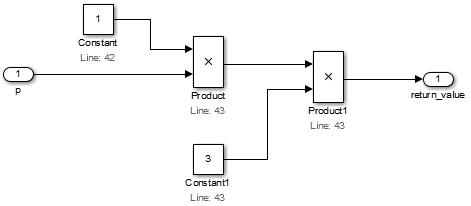
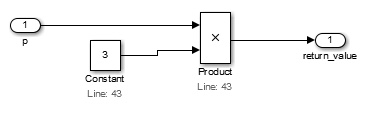
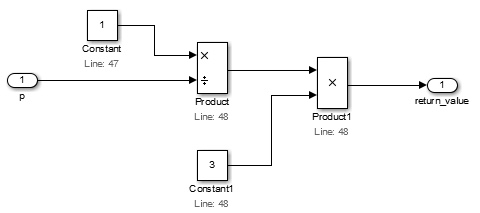
There are two cases considered: one that just removes Constant and Product blocks (case 1) and another which additionally requires the addition of a reciprocal Math Function block (case 2).
Case 1:
Case 2:
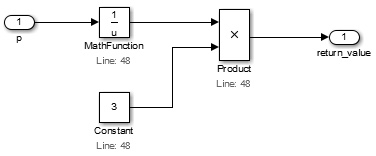
Remove identical inputs to an arithmetic block
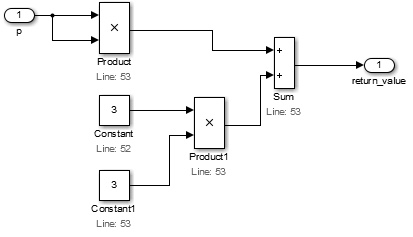
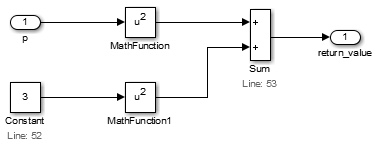
Reduce identical inputs to a product block and replace them with a Math Function block.
Square (u^2)
When there are exactly two inputs to a product block with the same value, they are reduced to a square Math Function block.
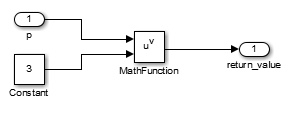
Power (u^v)
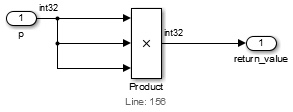
Similar to the square reduction, this one is applied when there are more than two inputs to a product block with the same value.
This reduction only applies if the Arithmetic reduction is enabled, which collapses a chain of Product blocks with two inputs into a single Product block with several inputs.
Power of base 10 (10^u)
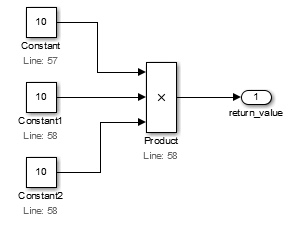
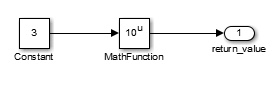
When there are two or more inputs to a product block from Constant blocks with value 10, they are reduced to a power of base 10 Math Function block.
This reduction only applies if the Arithmetic reduction is enabled.
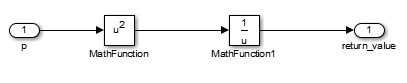
Reciprocal (1/u)
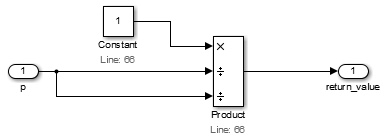
This reduction applies when the first input to a product block is a Constant with value 1 and the remaining inputs are reduced to a single block by some other reduction (in the example, the square reduction).
This reduction only applies if the Arithmetic reduction is enabled
Arithmetic
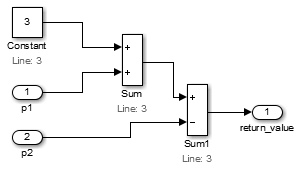
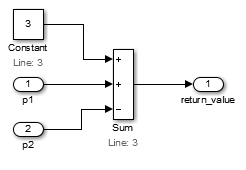
This reduces multiple Sum blocks to a single Sum block with multiple inputs.
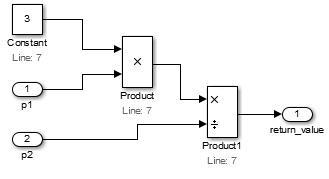
Similarly, multiple Product blocks are reduced to a single Product block with multiple inputs.
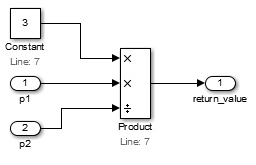
Bus Assignment
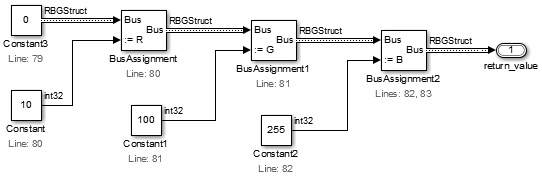
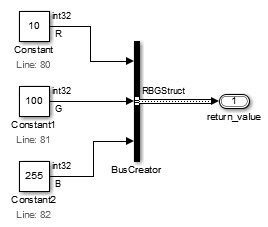
This reduces multiple Bus Assignment blocks that are used with the same Bus input into a single Bus Assignment block.
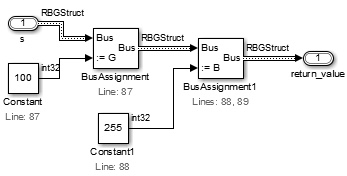
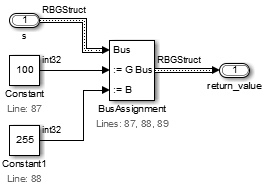
If all elements of the bus are assigned by the several Bus Assignment blocks, then they are all replaced by a Bus Creator block.
Bus Selector
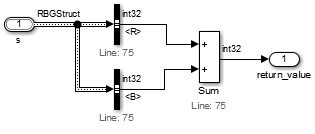
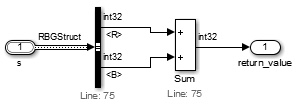
This joins multiple Bus Selector blocks if they are used with the same Bus input.
Constant Vector
This replaces a group of Constant blocks and a Mux block, which create a single vector output, with a Constant 1-D vector.
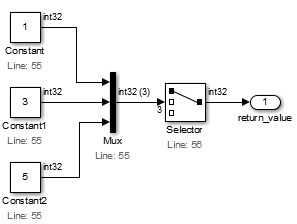
![One Constant block holds the vector [1; 3; 5] for the Selector block.](/_astro/redConstVector1D_2.BNEVeBKC.jpg)
Similarly, when there is a group of Constants, Mux and Vector Concatenate blocks so that they create a 2-dimensional array, then they are all replaced by a single Constant block that produces a matrix signal.
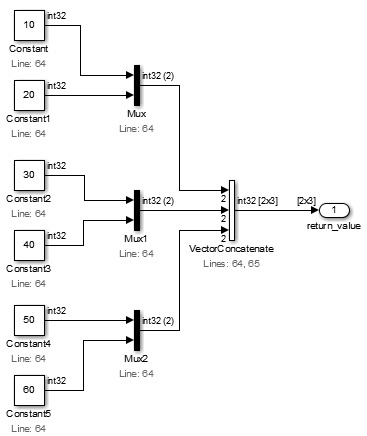
![One Constant block holds the 2×3 matrix [10 30 50; 20 40 60].](/_astro/redConstVector2D_2.BuqK-svS.jpg)
Data Type Conversions
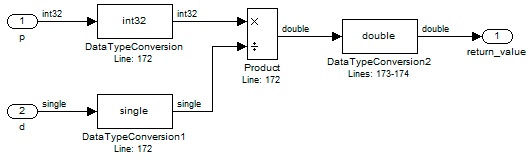
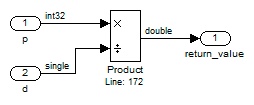
There are cases where a converted model contains unnecessary Data Type Conversion blocks. This is usually caused by unnecessary casts operations in the original C code.
Dead Paths
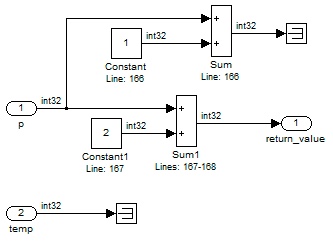
This removes parts of the diagram that do not have any effect on the simulation output. These diagram sections correspond to either dead code or unused parameters in C functions.
Demux
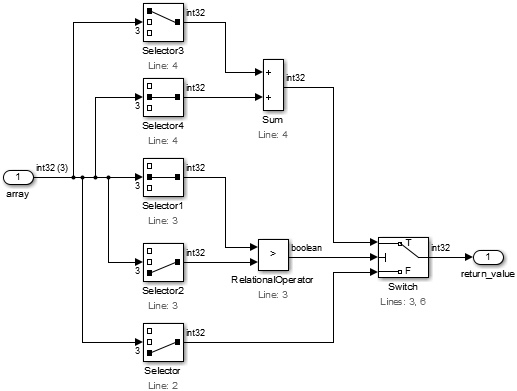
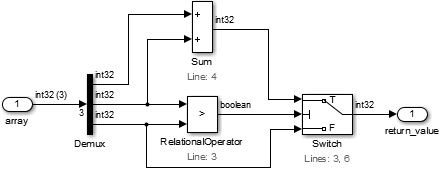
This reduces multiple Selector blocks that are used with the same vector input into a Demux block.
If some elements from the vector are not selected, then corresponding outputs from the Demux block will be connected to Terminator blocks. The reduction will be applied only if the number of Selector blocks to be removed is larger than the number of possibly added Terminator blocks.
From and Goto
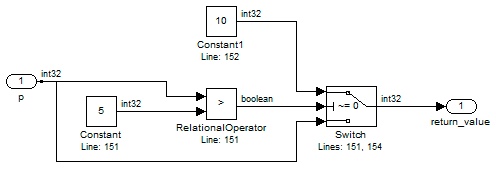
Inport blocks with two or more connections are simplified using From and Goto blocks. Note that for large diagrams, many line branches could cause considerable line crossing and cluttering. In those cases, usage of Goto and From blocks could improve readability.
![A Goto block tags p as [p], and From blocks bring it to the Relational Operator and the Switch.](/_astro/redFromGoto_2.CgPb1zik.jpg)
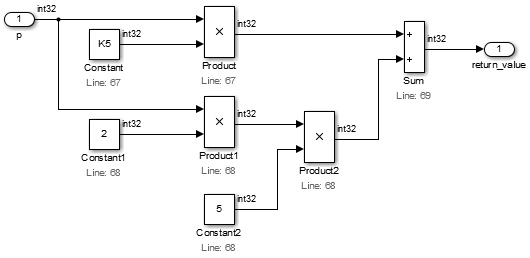
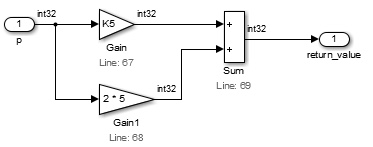
Gain
This searches for blocks in the diagram that represent a product by a constant and it replaces them with Gain blocks. It can detect and group constants in a single expression for the Gain block.
Group Action Transitions
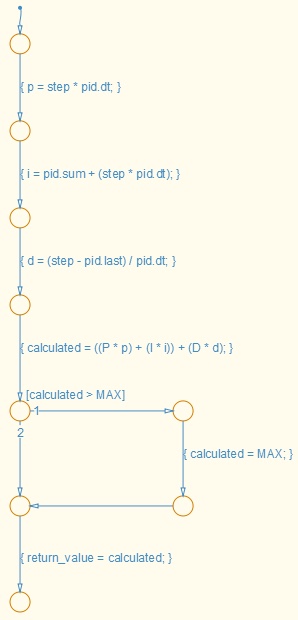
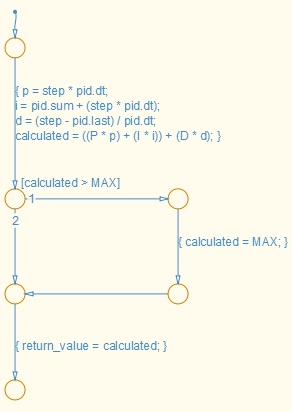
This joins multiple sequential action transitions into a single transition.
Increment
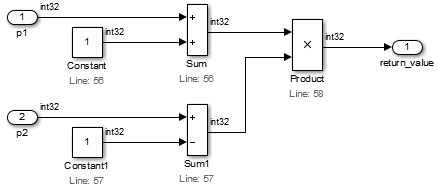
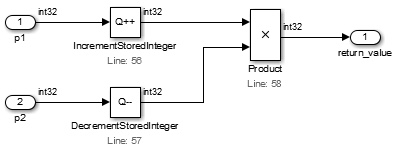
This replaces blocks that represent an addition or subtraction by 1 by an Increment Stored Integer or Decrement Stored Integer block respectively.
Logical Blocks
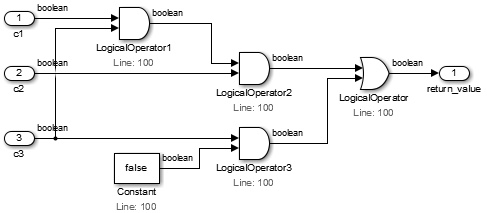
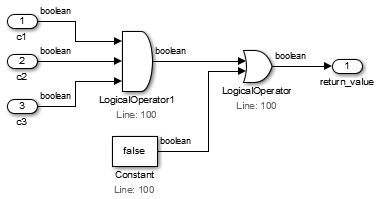
This reduces multiple Logical Operator blocks with the same operator into a single block. It also performs some optimizations if the TRUE/FALSE Constants reduction is enabled. If the operator is AND and one of the values is false, the result will always be false. In such cases, it removes the Logical Operator block and re-routes signals accordingly. It performs a similar optimization if the operator is OR and one of the values is true.
Relational Operator
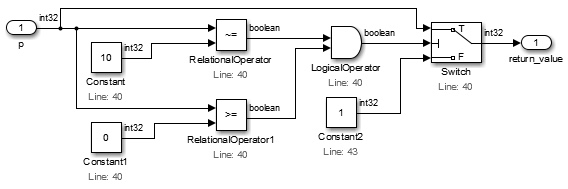
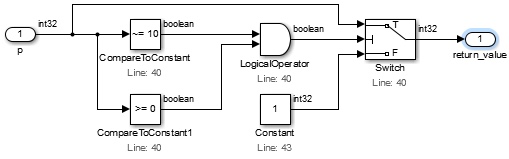
This reduces relational operators on constants to Compare to Constant blocks.
Saturation & MinMax
This reduction replaces a set of blocks by a MinMax, a Saturation or Saturation Dynamic block. All possible cases are considered below.
Min
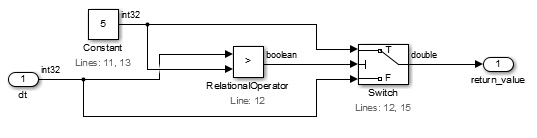
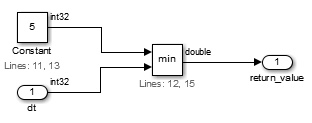
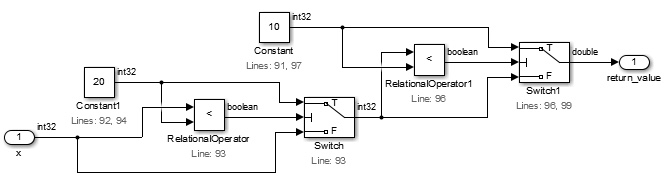
It detects a combination of blocks in the diagram that represent the logic for getting the minimum of a number of values and it replaces the involved blocks with a MinMax block using the min function.
Max
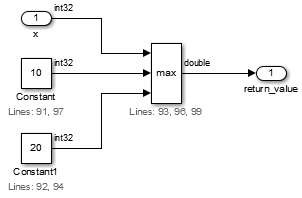
Similarly, it applies the same logic to detect and reduce to the max function. This example considers the case of getting the maximum of more than two values.
Saturation
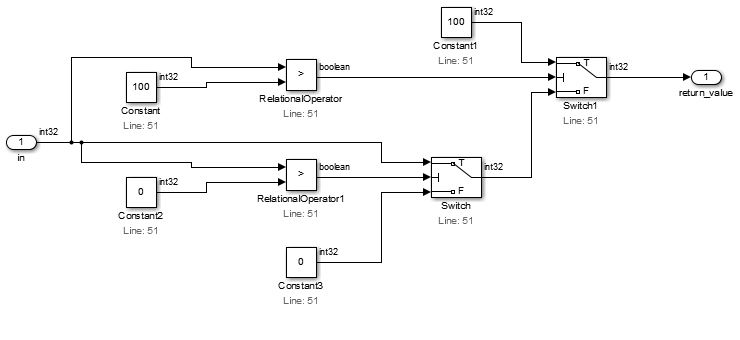
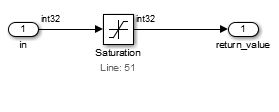
It searches for logic that bounds the range of a signal between two pre-defined values and it replaces involved blocks with a Saturation Block.
Saturation Dynamic
It similarly searches for logic that bounds the range of a signal between two dynamically given values and it replaces involved blocks with a Saturation Dynamic Block.
Sum/Product of Element
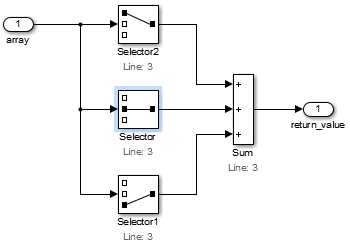
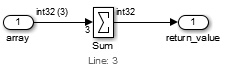
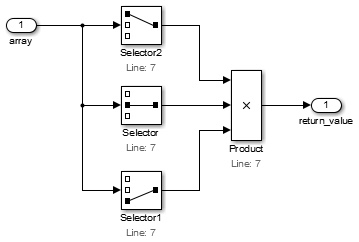
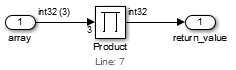
This reduces the sum or product of all elements of a vector, which includes a Selector block per element, to one Sum or Product block.
This reduction only applies if the Arithmetic reduction is enabled, since it requires that all Selector blocks are connected to a single Sum or Product block.
Sum
Product
TRUE/FALSE Constants
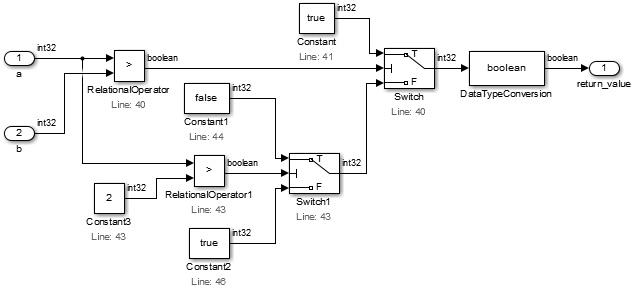
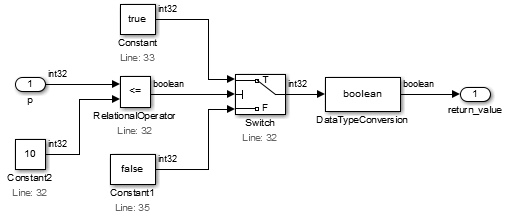
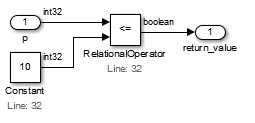
This changes Constants with C constants TRUE/FALSE to actual Simulink boolean types, enabling some other optimizations. The example below shows that types for signals are boolean instead of int32 and it applies an optimization by using a NOT Logical Operator block.
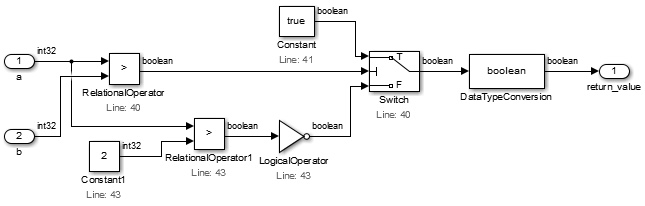
The image below shows another case where an optimization is applied to reduce the model size.
Unary Minus
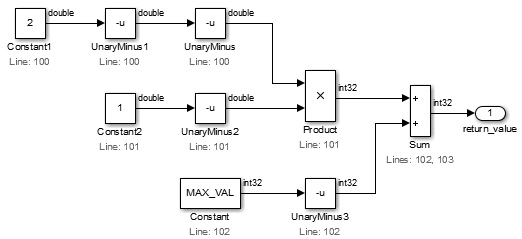
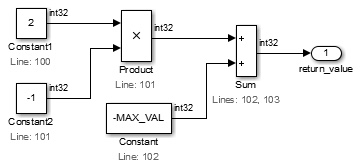
It reduces the model by removing Unary Minus blocks where possible.
Unit Delay Constant
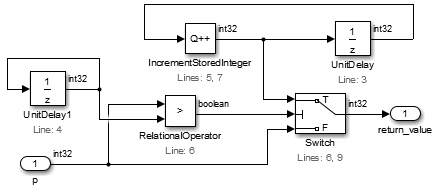
Unit Delay blocks are included for static local variables. They allow modeling these variables' behavior; that is, they have an initial value that can change and be maintained on successive calls to the function.
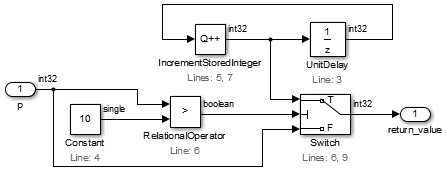
Modelify can detect whether a static local variable is never changed in the function body. In those cases, the Unit Delay block can be replaced by a Constant block using the initialization value of the Unit Delay block.
Source code for sample conversion:
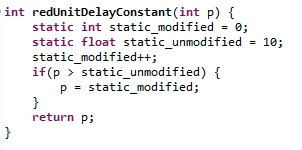
The image below shows the two cases - one variable that is never modified (static_unmodified) and the other (static_modified) that is modified in each function invocation.
Vector Assignments
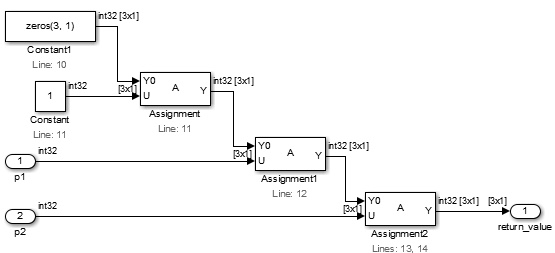
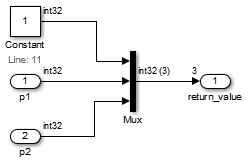
This reduces multiple Assignment blocks that are used with the same vector input into a single Mux block.
Vector Selector
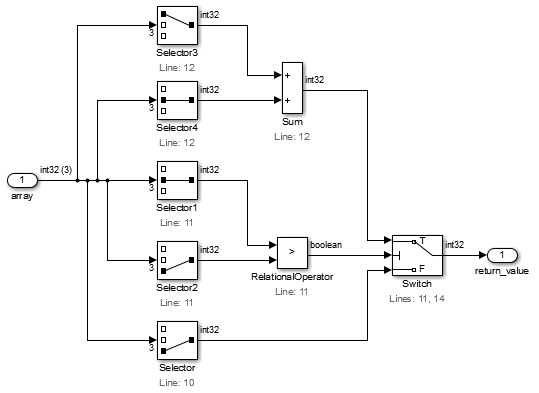
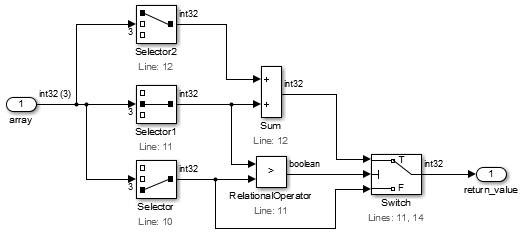
This reduces multiple Selector blocks that are used with the same vector input and index the same element of the input vector into a single Selector block.
Have a question or want us to fix something?
Thank you.
We have your note about this page.