
Integrating Simulink and Stateflow with TortoiseGit using SimDiff
TortoiseGit launches SimDiff for .mdl and .slx when you compare versions or resolve a merge conflict.
TortoiseGit can launch an external diff or merge tool when you compare versions or resolve a merge conflict. One external tool can cover every file. That is not recommended for SimDiff. Configure the tool for particular file extensions instead.
If there is no merge conflict, TortoiseGit does not launch the external tool. For example, if a model file changed on a branch and did not change on the main branch, merging the branch does not open SimDiff.
More on merging and resolving conflicts is in the TortoiseGit documentation: Merging and Resolving conflicts.
Configuring SimDiff with TortoiseGit
You can configure SimDiff for diff, for merge, or for both. Open the TortoiseGit Settings dialog first: right-click in Windows Explorer, then TortoiseGit, then Settings.
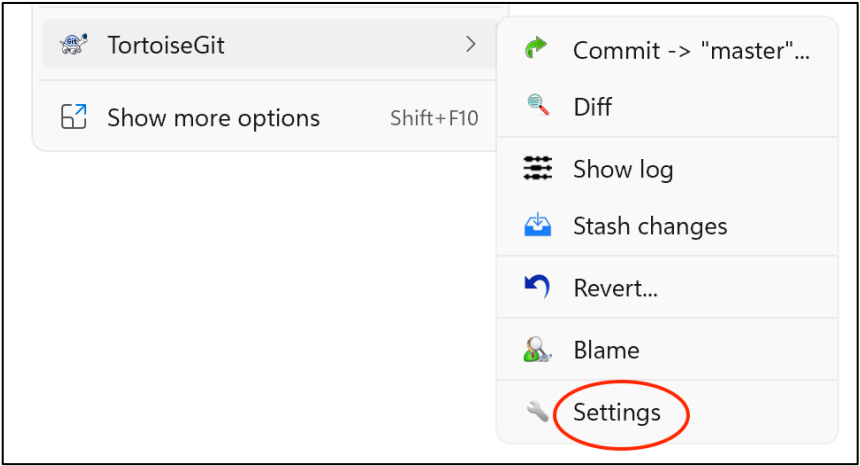
Configuring SimDiff as a diff tool
- In the sidebar tree, select Diff Viewer.
- Click Advanced to open the advanced settings.
- Edit the entry for an existing extension, or add a new entry if it does not exist.
- Enter
.mdlor.slxas the extension. Repeat these steps for the other extension if you want both. - Enter the command below and press OK in every dialog.
"C:\Program Files\EnSoft\SimDiff\simdiff4.exe" -l %base -r %mine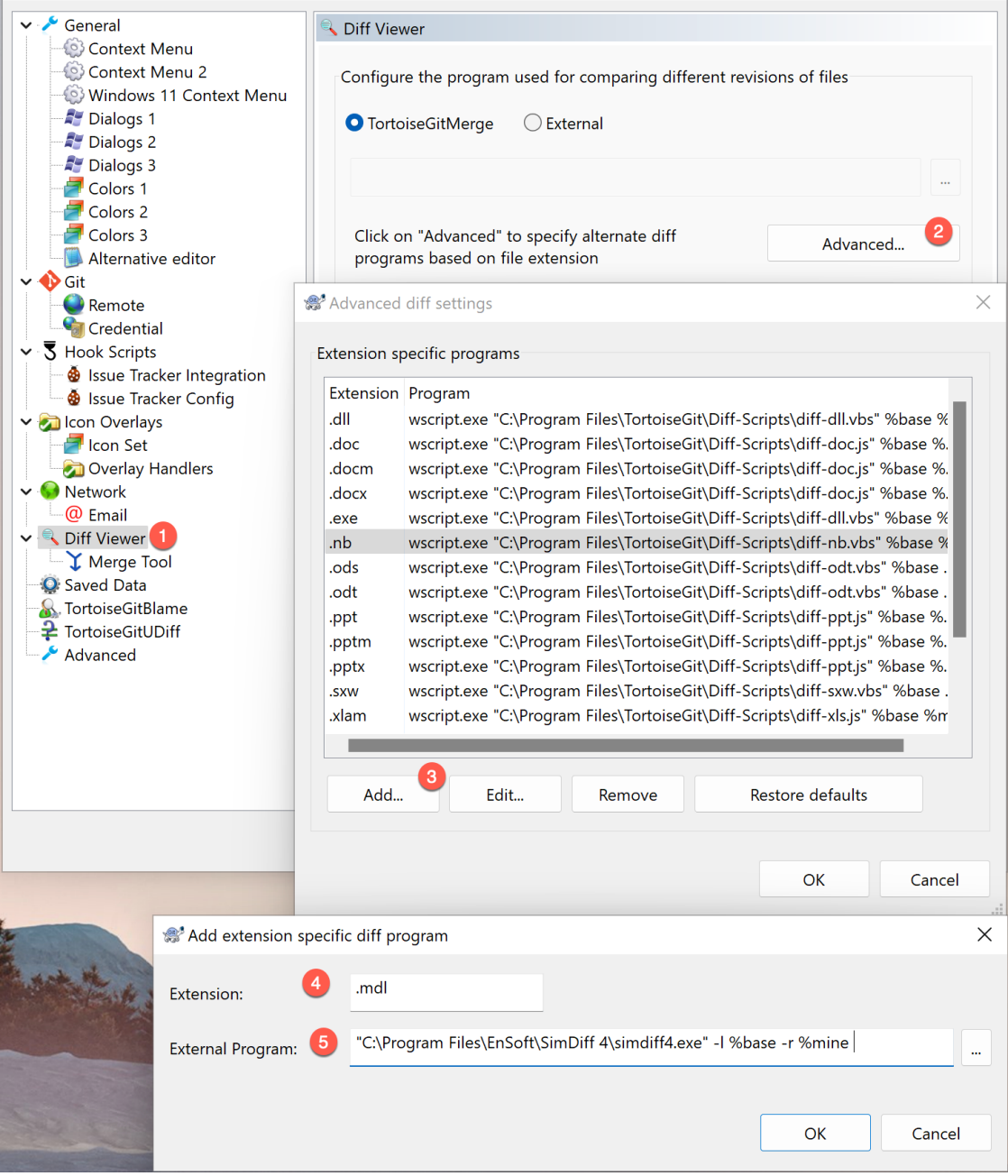
Configuring SimDiff as a merge tool
- In the sidebar tree, select Diff Viewer, then Merge Tool.
- Click Advanced to open the advanced settings.
- Edit the entry for an existing extension, or add a new entry if it does not exist.
- Enter
.mdlor.slxas the extension. Repeat these steps for the other extension if you want both. - Enter the command below and press OK in every dialog.
"C:\Program Files\EnSoft\SimDiff\simdiff4.exe" -merge -b %base -l %mine
-r %theirs -o %merged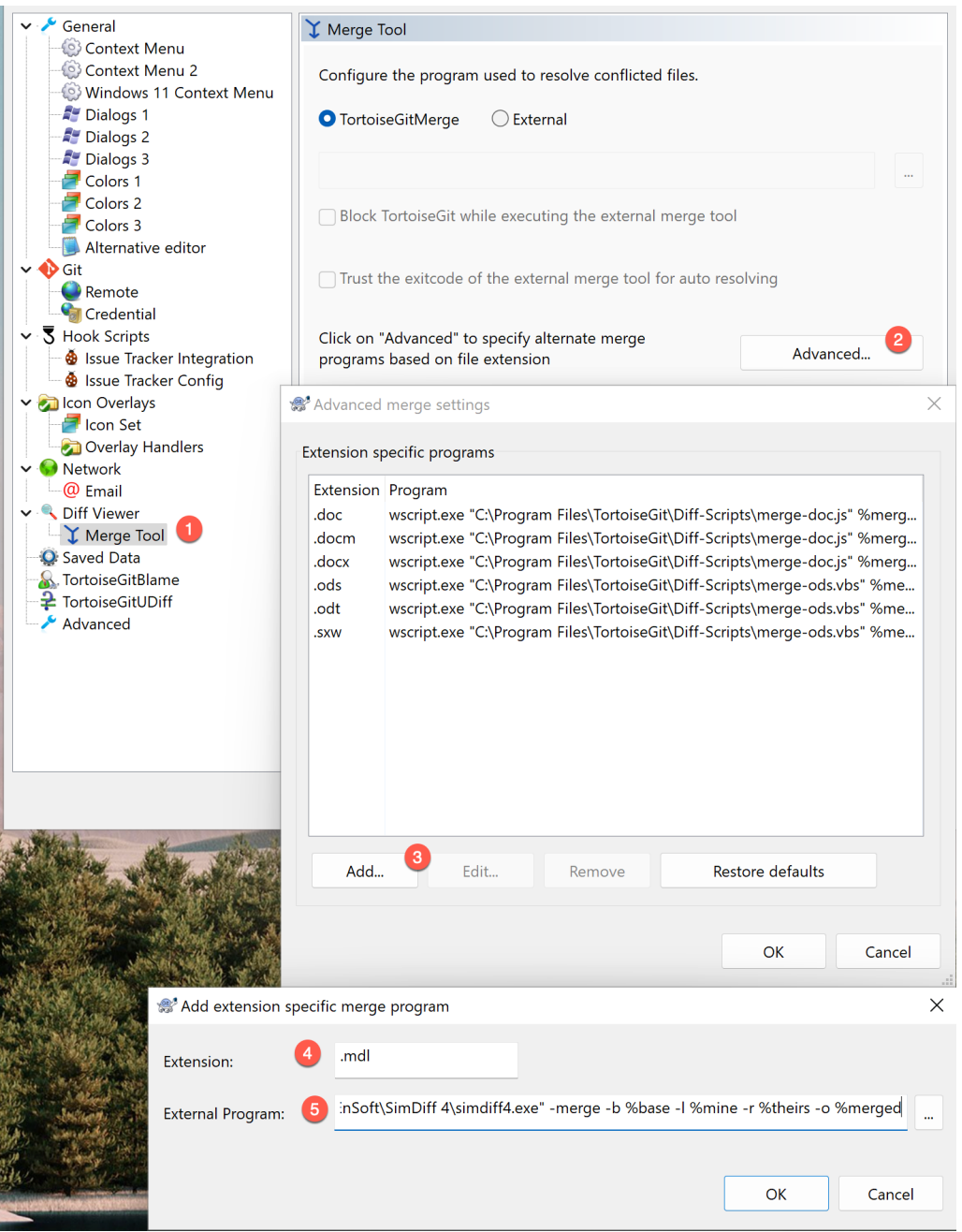
The commands above assume SimDiff is in its default install directory. Change the command if it is installed somewhere else.
More on external tools is in the TortoiseGit documentation.
Using another client? See Version Control Setup.
Have a question or want us to fix something?
Thank you.
We have your note about this page.