
Integrating Simulink and Stateflow with Git using SimDiff
Make git difftool and git mergetool open SimDiff, from the Windows command prompt or from Git Bash.
Git is a distributed version control system. The primary interface is the command line, with commands such as git commit and git push. Many graphical tools sit on top of that command line. Some of them support an interactive diff and merge tool, and some do not.
These steps configure SimDiff for command-line Git. For a graphical client, use that client’s own guide on Version Control Setup.
Diff and merge tools in Git
Git has two kinds of external diff and merge integration: tools and drivers. Drivers are a low-level, non-interactive integration. That kind is not suitable for an interactive tool such as SimDiff. Configure SimDiff as a diff tool, a merge tool, or both.
After the configuration, Git launches SimDiff with git difftool and git mergetool.
Compare the working copy of my_model.mdl with the repository copy:
git difftool -t simdiff my_model.mdlCompare two repository revisions of my_model.mdl:
git difftool -t simdiff <commit1> <commit2> my_model.mdlResolve a merge conflict with SimDiff Workstation in my_model.mdl after merging a branch:
git mergetool -t simdiff my_model.mdlConfiguration
Use git config with '--system' or '--global'. ENSOFT recommends '--system' when you can. It configures every user on the machine and needs administrator privileges. '--global' configures one user, for every repository.
The commands below use the default SimDiff install path. Change the path if SimDiff is installed somewhere else.
Configuring SimDiff as a diff tool from the Windows command prompt
git config --global difftool.simdiff.cmd "\"C:/Program Files/EnSoft/SimDiff/simdiff4.exe\" -l \"$LOCAL\" -r \"$REMOTE\""Configuring SimDiff as a merge tool from the Windows command prompt
git config --global mergetool.simdiff.cmd "\"C:/Program Files/EnSoft/SimDiff/simdiff4.exe\" -merge -b \"$BASE\" -l \"$LOCAL\" -r \"$REMOTE\" -o \"$MERGED\""Configuring SimDiff as a diff tool from a Git client (such as Git Bash)
git config --global difftool.simdiff.cmd '"C:/Program Files/EnSoft/SimDiff/simdiff4.exe" -l "$LOCAL" -r "$REMOTE"'Configuring SimDiff as a merge tool from a Git client (such as Git Bash)
git config --global mergetool.simdiff.cmd '"C:/Program Files/EnSoft/SimDiff/simdiff4.exe" -merge -b "$BASE" -l "$LOCAL" -r "$REMOTE" -o "$MERGED"'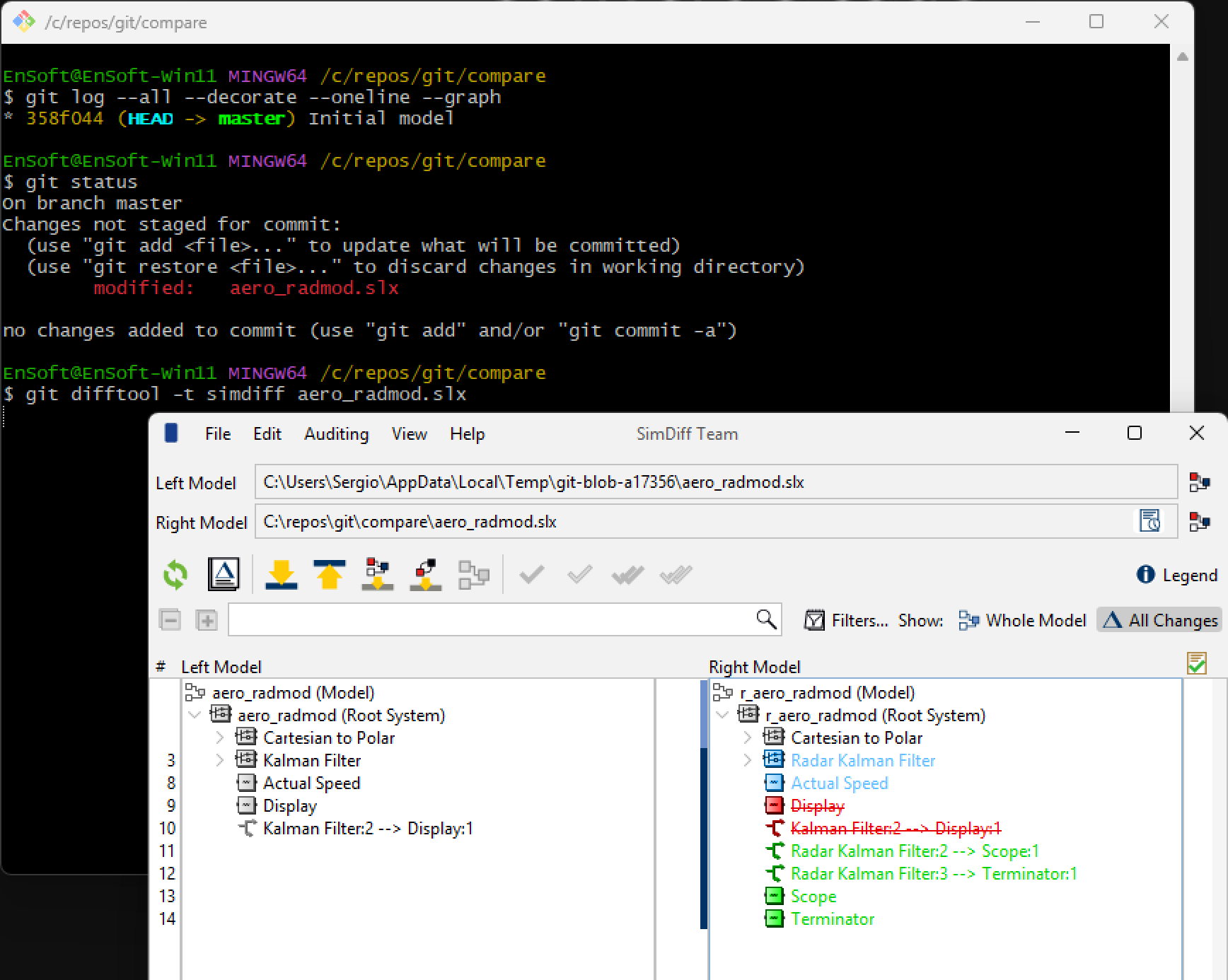
Using another client? See Version Control Setup.
Have a question or want us to fix something?
Thank you.
We have your note about this page.