

Modelify converts legacy C code into maintainable Simulink and Stateflow models. Instead of a verbatim block-per-operation translation, Modelify transforms low-level C logic into higher-level Simulink constructs that closely follow the MAAB modeling guidelines, preserve project hierarchy and data types, and annotate blocks with their original C line numbers.
This demo gives an overview of some of its features. Request a free trial and try it on your code!
High-Level Simulink, Not a Verbatim C Dump
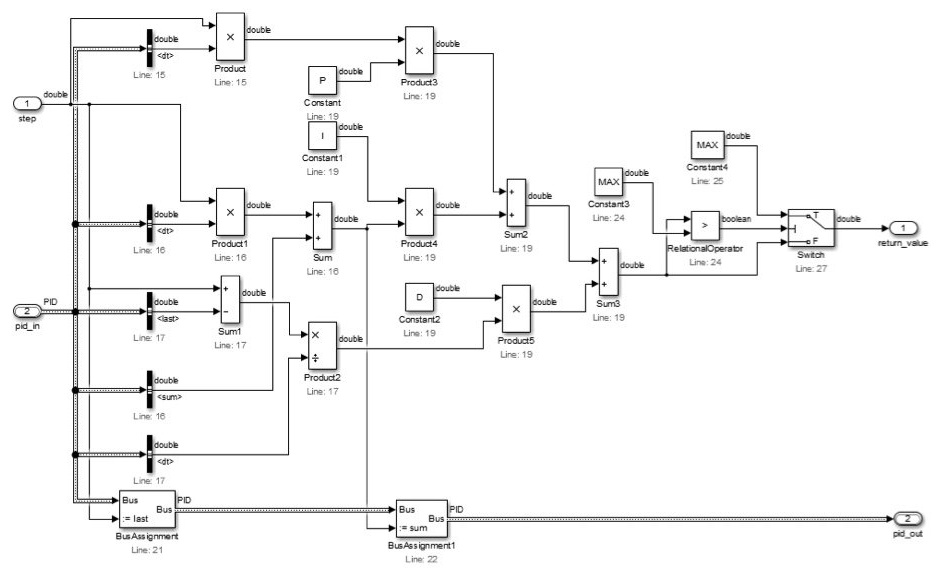
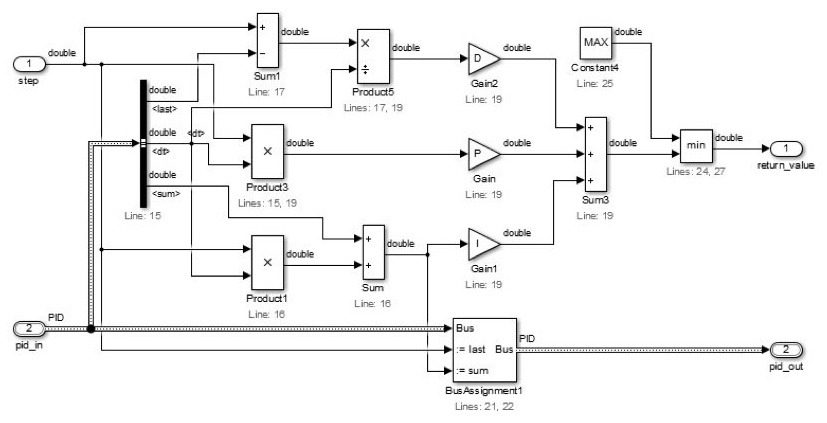
A direct translation creates one Simulink block per C operator, leaving an unreadable web of blocks and crossing signal lines. Modelify applies more than twenty configurable reductions that collapse low-level C operations into idiomatic Simulink constructs—replacing constant products with Gain blocks, combining arithmetic and relational operators, detecting MinMax and Saturation Dynamic patterns, joining vector selectors and assignments into Demux and Mux blocks, consolidating Bus Selectors and Bus Assignments, and removing dead paths and redundant type casts.
Generated blocks carry annotations pointing back to the original C line numbers, and each reduction can be enabled or disabled to match your organization’s modeling guidelines.
Verbose
Reduced
Simulink, Stateflow, or S-Functions—Organized Like an Engineer Would Build It
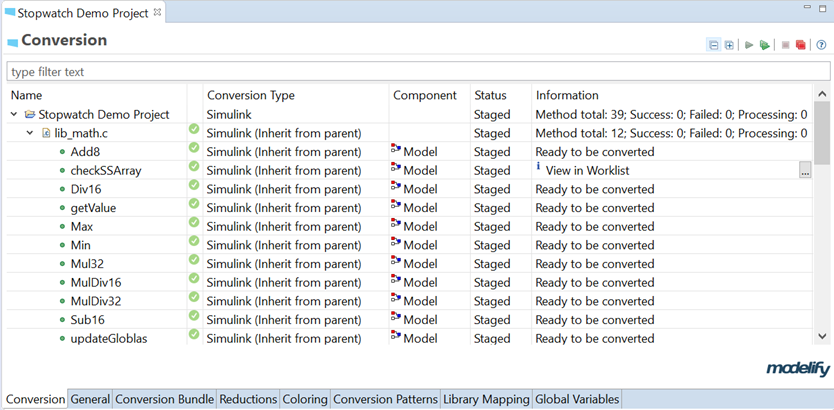
Every C function in a project has a role. In the Project Conversion Editor, Modelify analyzes the codebase and recommends both a conversion target and a component structure for each function: Simulink block diagrams for data-flow and control math, Stateflow charts for complex branching, S-Function blocks that wrap original C routines, or stub models for hardware I/O and undefined external functions.
Functions called once can be folded into the caller as a Subsystem, while functions called across the codebase are automatically promoted to shared User Library blocks once they reach your call-count threshold. Library Mapping rules also let you map standard C math functions or company-specific C libraries directly to existing Simulink blocks.
Global Variables and Embedded Coder Readiness
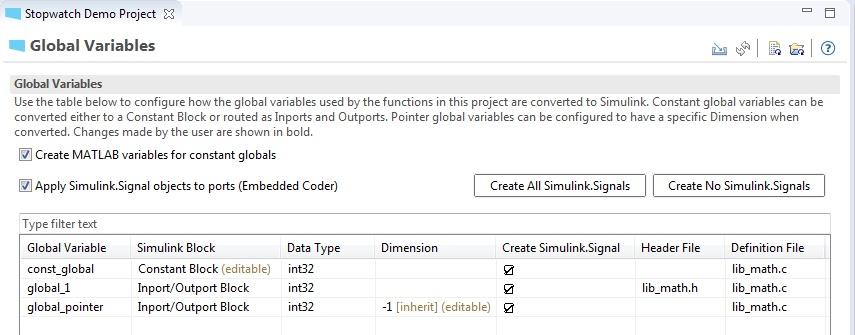
Modelify extracts structs, enums, calibration macros, and global variables into a MATLAB initialization script. Preprocessor object macros can be converted into workspace variables referenced by Constant blocks and Stateflow transitions so control parameters stay calibrated in one place.
Global variables can be routed as Inport and Outport blocks or Constant blocks, and Modelify can automatically attach Simulink.Signal objects with their original .h and .c files for Embedded Coder code generation. You can also generate TargetLink-compatible block sets, apply custom foreground and background coloring rules by block type or library, and export HTML conversion reports linked to the C source.
Built on Compiler-Accurate Atlas Graphs
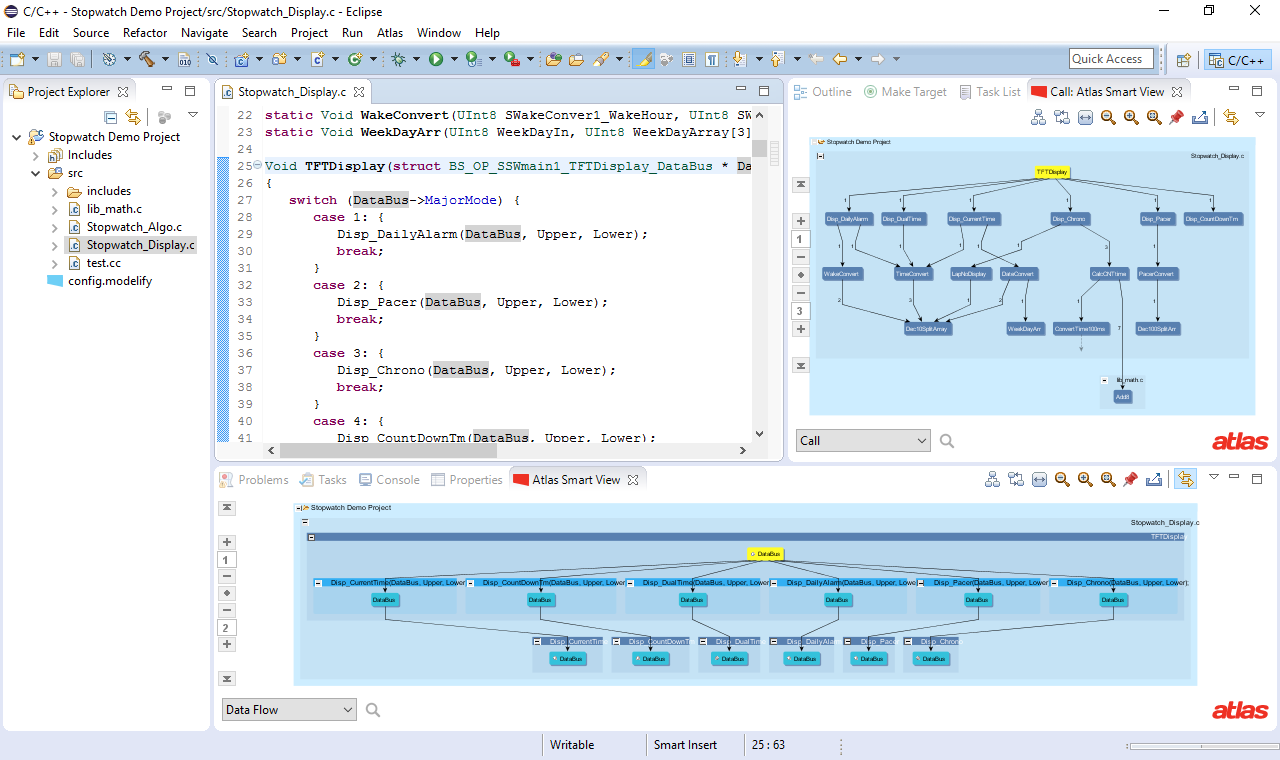
The behavior of a compiled C project depends on build flags, include paths, and preprocessor directives. Modelify is built on top of Atlas, which observes your C build—including gcc and cross-compilers—and converts the source code into an XCSG graph capturing exact control flow, data flow, and call structure.
Engineers can use Atlas to explore the codebase before converting, use the Modelify Worklist View to resolve C or Simulink limitations iteratively, and re-run conversions knowing Modelify detects and warns before overwriting manual Simulink edits.
Request Modelify Trial
Thank you!
Your Modelify trial request has been submitted. We will be in touch within 1-2 business days.
Getting Started & Support
Modelify runs inside Eclipse and includes an Atlas license. Watch the getting-started tutorials, read the user manual, and check system requirements on Modelify Support.
Download & Licensing
You will need a license key in order to run Modelify. Please request a free trial license of Modelify, or see our licensing and pricing page for subscription, perpetual, and custom modeling-guideline options.